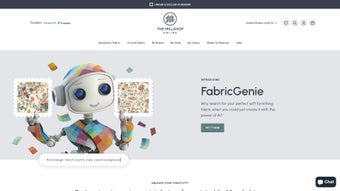

Download FabricGenie – AI‑Powered Fabric Design Tool, Free & Secure
Introduction – Why FabricGenie Is a Game‑Changer for Textile Design
In today’s fast‑moving interior‑design market, the ability to prototype a fabric pattern in minutes rather than days can be the difference between winning a contract or losing it. FabricGenie steps into this gap by delivering a cloud‑based, AI‑driven design engine that eliminates the steep learning curve associated with traditional graphic suites such as Adobe Photoshop or CorelDRAW. By leveraging deep learning models trained on millions of textile images, the platform can interpret simple textual prompts—like “vintage damask in muted teal”—or transform an uploaded photograph into a seamless repeat pattern ready for production.
Because the service runs entirely in a modern web browser, there is no need for costly licenses, bulky installers, or frequent patch updates; designers simply open a tab, log in, and start creating. The tool also integrates a curated marketplace where users can order printed fabric, blackout linings, and upholstery accessories, turning a digital mockup into a tangible product with a few clicks. This seamless bridge between ideation and manufacture makes FabricGenie especially valuable for freelancers, small studios, and large design houses alike.
Moreover, the platform’s commitment to privacy—encrypting all data transfers via HTTPS and automatically deleting uploads after 24 hours—provides peace of mind for brands protecting proprietary motifs. Whether you are drafting a new curtain collection for a boutique hotel, experimenting with bespoke upholstery for a residential client, or simply exploring hobbyist projects, FabricGenie offers a free, secure, and instantly accessible environment that empowers creativity without the overhead of legacy software.
Core Features & Capabilities – What Sets FabricGenie Apart
- AI‑Generated Patterns: Instantly produce high‑resolution fabric designs from text descriptions or image uploads.
- Extensive Style Library: Choose from pre‑set themes such as floral, geometric, abstract, traditional, and seasonal collections.
- Real‑Time Preview: Visualize how a pattern will look on different fabric types, including cotton, linen, polyester, and blended upholstery material.
- Customizable Parameters: Adjust color palettes, repeat scale, and motif density to fine‑tune the final output.
- Integrated Supply Store: Purchase matching blackout linings, foam padding, and other upholstery accessories directly from the platform.
- Multi‑Currency Support: Pay for premium supplies in USD, EUR, GBP, AUD, and many other currencies, making the service truly international.
- No Installation Required: Run the application entirely in the browser on any modern device, eliminating the need for downloads or manual updates.
- Free Access: All AI design features are completely free; optional purchases are limited to physical supplies.
Beyond the bullet‑point list, FabricGenie’s AI engine distinguishes itself through a few technical nuances. First, the model employs a dual‑stage generation pipeline: an initial coarse pattern is created based on semantic understanding, followed by a refinement stage that adds texture detail and corrects seam alignment, ensuring seamless repeats without visible artifacts. Second, the platform offers “style‑transfer” capabilities, allowing users to apply the visual language of one pattern onto the structural layout of another, a feature rarely found in free web tools.
Third, the integrated marketplace isn’t just a storefront—it includes a dynamic pricing calculator that adjusts fabric costs based on pattern complexity, color count, and order volume, giving designers transparent budgeting information before checkout. Finally, FabricGenie supports collaborative projects; multiple team members can share a workspace, comment on drafts, and co‑author designs in real time, fostering a seamless workflow for agencies handling large client briefs. All these capabilities combine to create a holistic environment where creativity, production planning, and commerce intersect, delivering a truly end‑to‑end solution for modern textile design.
Installation, Setup & Compatibility – Getting Started in Minutes
Getting Started – No Download Required
FabricGenie lives entirely in the browser, so the first step is simply navigating to the official website. The platform supports all major browsers, including Chrome, Firefox, Edge, and Safari. For the best performance, we recommend using the latest version of Chrome or Firefox on a desktop or laptop computer. Mobile users on Android or iOS can also access the tool, though the full suite of editing controls is optimized for larger screens.
Step‑by‑Step Installation & Usage Guide
- Create an Account: Click “Sign Up” and enter your email address or use a social login. Verification is instant, and you’ll be ready to design within seconds.
- Select a Design Mode: Choose “Text Prompt” to describe your vision, or “Upload Image” to let the AI reinterpret an existing picture.
- Set Preferences: Pick a style category, adjust color tones, and define repeat frequency. These settings are saved to your profile for future sessions.
- Generate & Refine: Press “Generate” and wait 30‑60 seconds for the AI to produce a gallery of variations. Click on any thumbnail to view a larger preview, then use the “Refine” sliders to tweak details.
- Export or Order: When satisfied, download the design as a high‑resolution PNG or SVG file for personal use, or click “Order Fabric” to purchase printed material and related supplies.
- Collaborate (Optional): Invite team members to your workspace, assign roles, and leave comments directly on each design iteration to streamline feedback loops.
- Manage Licenses: Review the licensing terms in your account dashboard to confirm commercial usage rights before deploying the pattern in a client project.
Operating System Compatibility
FabricGenie is compatible with Windows 10/11, macOS Big Sur and later, Chrome OS, as well as Android 9+ and iOS 13+. Because it is a web application, the underlying OS matters only insofar as the browser supports WebGL and modern JavaScript. Users on older operating systems may experience slower rendering times but can still generate designs.
Security is a top priority: all data transfers are encrypted via HTTPS, and uploaded images are stored temporarily on secure cloud servers that are automatically purged after 24 hours. This ensures a safe, privacy‑friendly experience for designers who may be working with proprietary brand assets. In addition, FabricGenie offers two‑factor authentication (2FA) for accounts that handle high‑value commercial projects, further protecting intellectual property from unauthorized access.
Pros & Cons – An Honest Evaluation of FabricGenie
Pros
- Free, unlimited AI‑generated designs for personal and commercial use.
- No software download or installation, making it instantly accessible.
- Wide variety of style themes and customizable parameters.
- Integrated marketplace for ordering matching fabrics and upholstery supplies.
- Multi‑currency support and global availability.
- Secure, encrypted connections protect user data and uploads.
- Continuous cloud‑based updates keep the AI engine current.
- Collaboration tools enable team‑based design workflows.
- Export options include high‑resolution PNG and scalable SVG for professional printing.
Cons
- Advanced editing tools (e.g., vector manipulation) are limited compared to full‑featured desktop design suites.
- Performance depends on internet speed; slower connections may experience longer generation times.
- Mobile interface is functional but not as feature‑rich as the desktop experience.
- Physical product ordering is currently limited to select regions (North America, Europe, Australia).
- While the AI is powerful, it may occasionally produce patterns that need minor manual cleanup.
- Team collaboration requires a paid “Pro” tier for unlimited members.
Overall, FabricGenie delivers a compelling blend of creativity, convenience, and cost‑effectiveness. For designers who need rapid prototyping without investing in expensive software licenses, this tool hits the mark. Its minor limitations are outweighed by the speed of generation and the seamless pathway from concept to finished fabric.
Frequently Asked Questions
Is FabricGenie really free to use?
Yes, all AI‑generated design features are completely free. You only pay if you decide to order physical fabrics or upholstery supplies through the integrated store, and there are no hidden subscription fees for basic usage.
Can I export designs for commercial production?
Absolutely. FabricGenie provides high‑resolution PNG and scalable SVG files that can be used in commercial printing workflows. Be sure to review the licensing terms in your account settings to confirm the scope of commercial rights.
Do I need a powerful computer to run FabricGenie?
No special hardware is required. A modern browser on a standard laptop or desktop is sufficient. Faster CPUs and better internet connections will reduce generation time, but the platform is optimized to work on mid‑range machines as well.
Is my uploaded image stored permanently?
Uploaded images are encrypted and kept only for the duration of the session. They are automatically deleted from the server after 24 hours to protect privacy, and you can manually purge them at any time from your dashboard.
Can I use FabricGenie on my smartphone?
Yes, the platform works on Android and iOS browsers, though the full set of editing controls is optimized for larger screens. The mobile experience remains smooth for quick concept work, and you can later refine designs on a desktop for maximum precision.
Conclusion – Bring Your Fabric Ideas to Life with FabricGenie
If you’re looking for a fast, free, and secure way to generate original fabric prints, FabricGenie is a standout choice. Its AI engine removes the barrier of manual illustration, while the web‑based delivery model means you can start designing instantly from any device. The added marketplace for upholstery supplies makes the transition from digital mockup to physical product seamless. Whether you’re a professional designer seeking rapid prototypes or a hobbyist wanting a unique curtain pattern, FabricGenie empowers you to explore limitless creativity without the cost of traditional design software. Download FabricGenie today, experiment with AI‑driven patterns, and turn your vision into a tangible fabric masterpiece.



.png)



